Derek Vaal
Derek VaalEcommerce PPC Consultant
Cardinal

The client workspace that keeps the consulting work clear after the call ends.

Cardinal is the private workspace included with every active engagement. Live reporting, Guardian spend monitoring, shared files, and reviewed recommendations stay organized around the Google Ads work I am doing for you - reviewed by me, never raw AI output.

Included with the engagement

Cardinal comes with the PPC work. It is never sold separately.

Useful between calls

Reports, files, alerts, and next steps stay easy to find when decisions come up.

Human-reviewed

Recommendations are drafted internally and reviewed by me before clients see them.

Preview

See the client experience with sample data.

Open sample workspace
Sample client

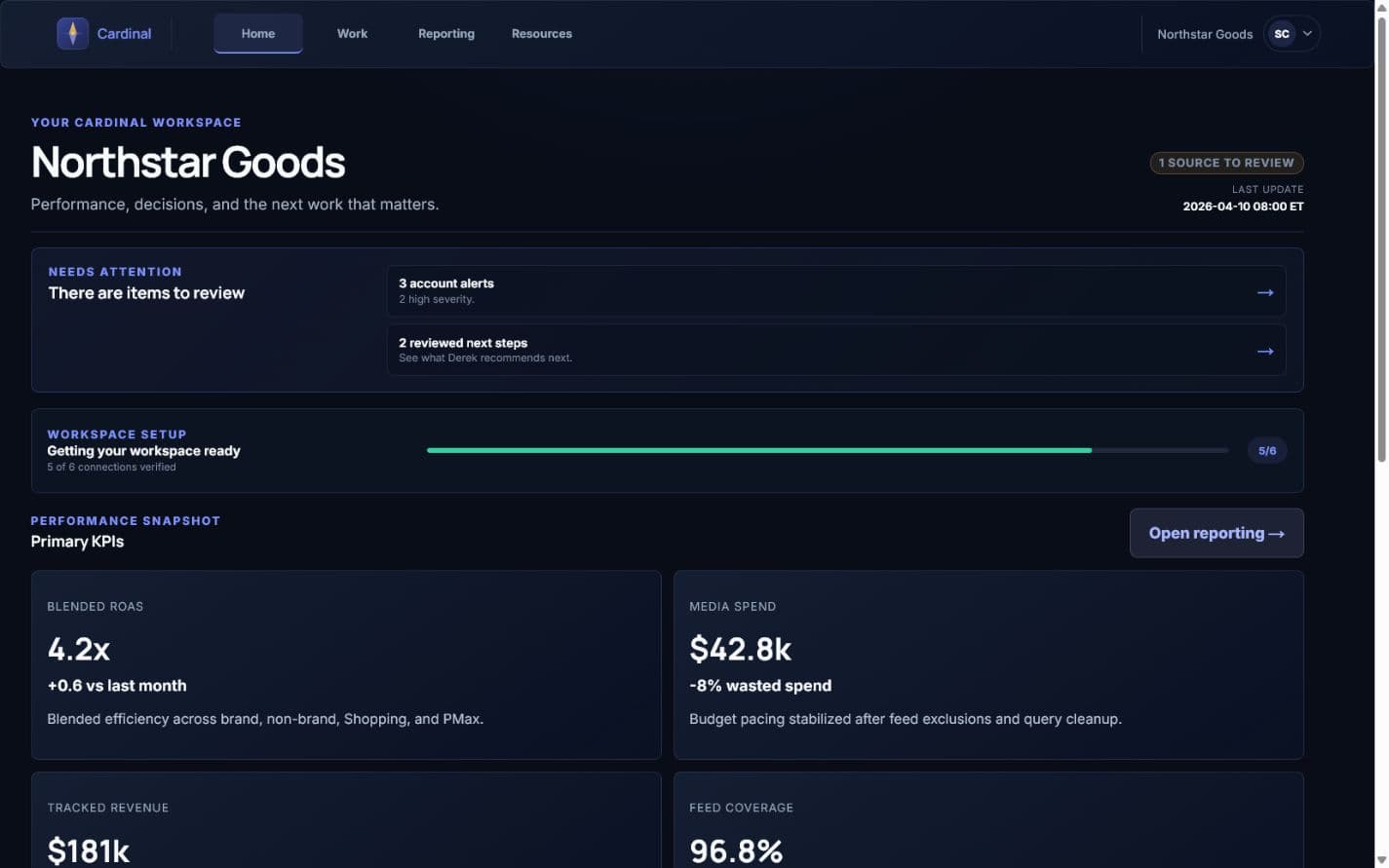
Northstar Goods | Google Ads workspace

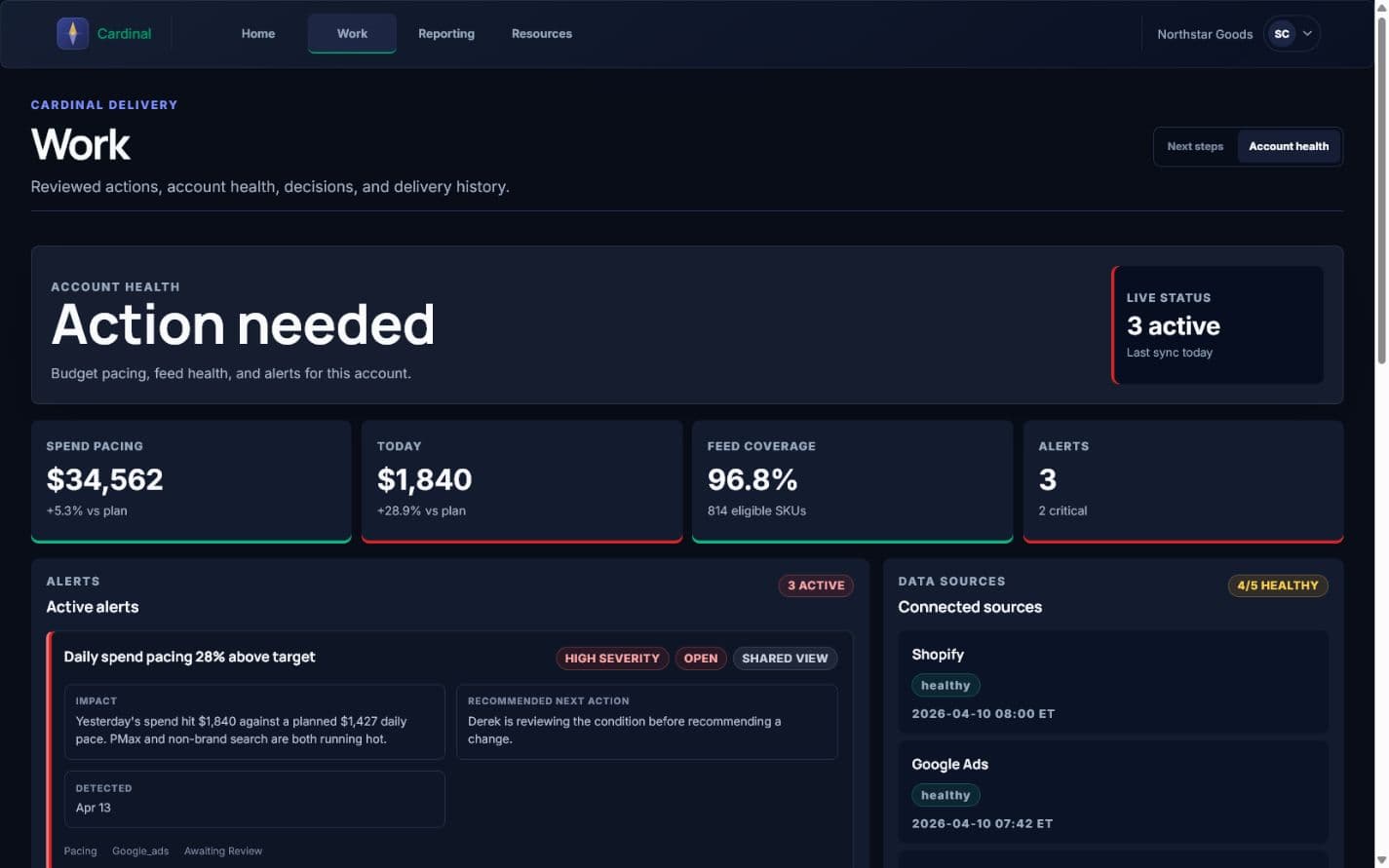
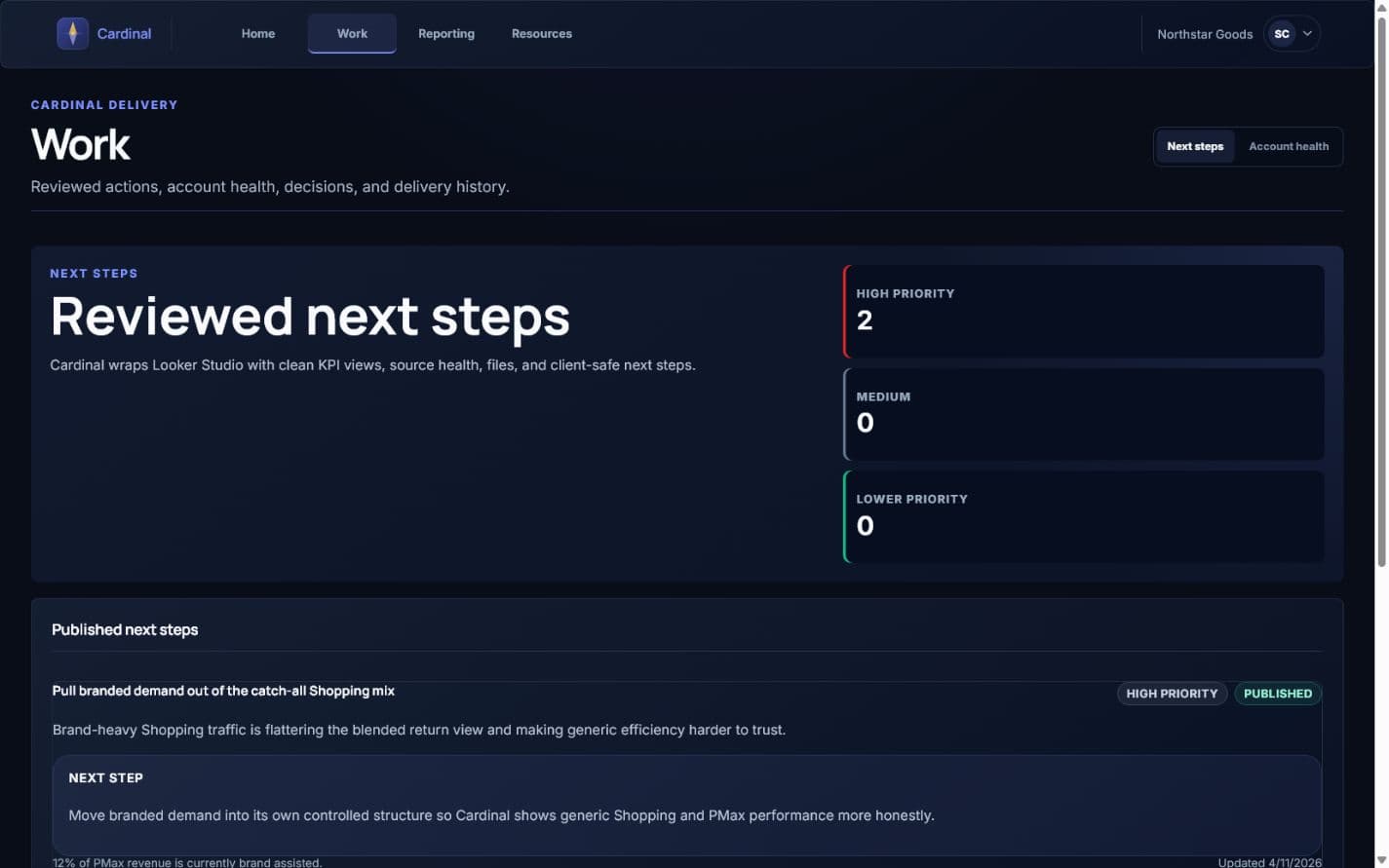
The preview shows the client-facing shape of Cardinal: KPI context, Guardian alerts, reporting links, recommendations, and files. It uses sample data only.

4.2xBlended ROAS
96.8%Feed Coverage
2Open Alerts
What is included

Three practical layers, one workspace.

Reporting

Cardinal

Your private reporting workspace. Cardinal frames the Looker Studio reports I set up for your account alongside KPI snapshots, data freshness, and files. Everything you need to review performance is in one place.

  • Live Looker Studio reporting embedded in your workspace
  • KPI snapshots updated from the latest reporting period
  • Shared files, audits, and reference documents
  • Data freshness so you can see when reporting was last refreshed
Monitoring

Guardian

Guardian monitors daily and monthly budget pacing, spend anomalies, and Merchant Center feed coverage. When something needs attention, it becomes visible before the next monthly report.

  • Daily spend vs. plan with deviation tracking
  • Monthly budget pacing at a glance
  • Feed coverage and Merchant Center health
  • Alerts flagged by severity with category context
Recommendations

Next steps

I draft optimization recommendations internally, review the supporting data, and publish the client-safe version to Cardinal when it is ready to act on.

  • Recommendations drafted from real account data
  • Reviewed and approved by me before publishing
  • Each recommendation includes a supporting metric and clear next step
  • Optional email delivery using the same published copy
What the reporting watches

Built around what matters to the business, not vanity metrics.

ROAS

A simple first-look metric for a quick read on efficiency before going deeper into the full account picture.

Tracked revenue gap

Shows where measurement is strong, where it is weak, and what should be trusted before making changes.

Feed coverage

If eligible SKUs are missing from Shopping and Performance Max, growth gets limited before bid strategy even matters.

Wasted spend

Query and placement waste are often the fastest path to better efficiency in an under-managed account.

Connected sources

Cardinal sits on top of the accounts you already run.

Google Ads

Advertising

Google Analytics 4

Analytics

Merchant Center

Feed

Looker Studio

Reporting

Shopify

Commerce
How it works

Setup is handled on my side. You get access to a workspace that is already configured.

Step 1

Onboarding sets up your workspace

Once our engagement starts, I configure Cardinal with your reporting setup, integration sources, and budget targets. You receive an invite link once the workspace is useful.

Step 2

Data stays visible between calls

KPI snapshots, spend data, report links, and data freshness stay in one place so the work does not disappear into email threads.

Step 3

Recommendations arrive when they are ready

I generate optimization drafts internally, review the copy and supporting data, then publish to Cardinal. You see finished recommendations with context, not raw AI output.

Access

Cardinal access starts with the engagement.

Cardinal is included for active clients as part of the PPC management engagement. If you are exploring fit, start with a strategy call. If you already have a portal invite, sign in from the Client Login link above.