Derek Vaal
Derek VaalEcommerce PPC Consultant
Client Workspace

Cardinal keeps the consulting work clear after the call ends.

Cardinal is the private workspace included with active engagements. It keeps reporting, spend monitoring, files, source health, and reviewed recommendations organized around the Google Ads work I am doing for you.

Built around the service

Cardinal supports the PPC engagement. It is not a separate SaaS product.

Useful between calls

Reports, files, alerts, and next steps stay easy to find when decisions come up.

Human-reviewed

Recommendations are drafted internally and reviewed by me before clients see them.

Preview

Use the sample workspace for sales calls without exposing client or admin data.

Open sample workspace
Sample client

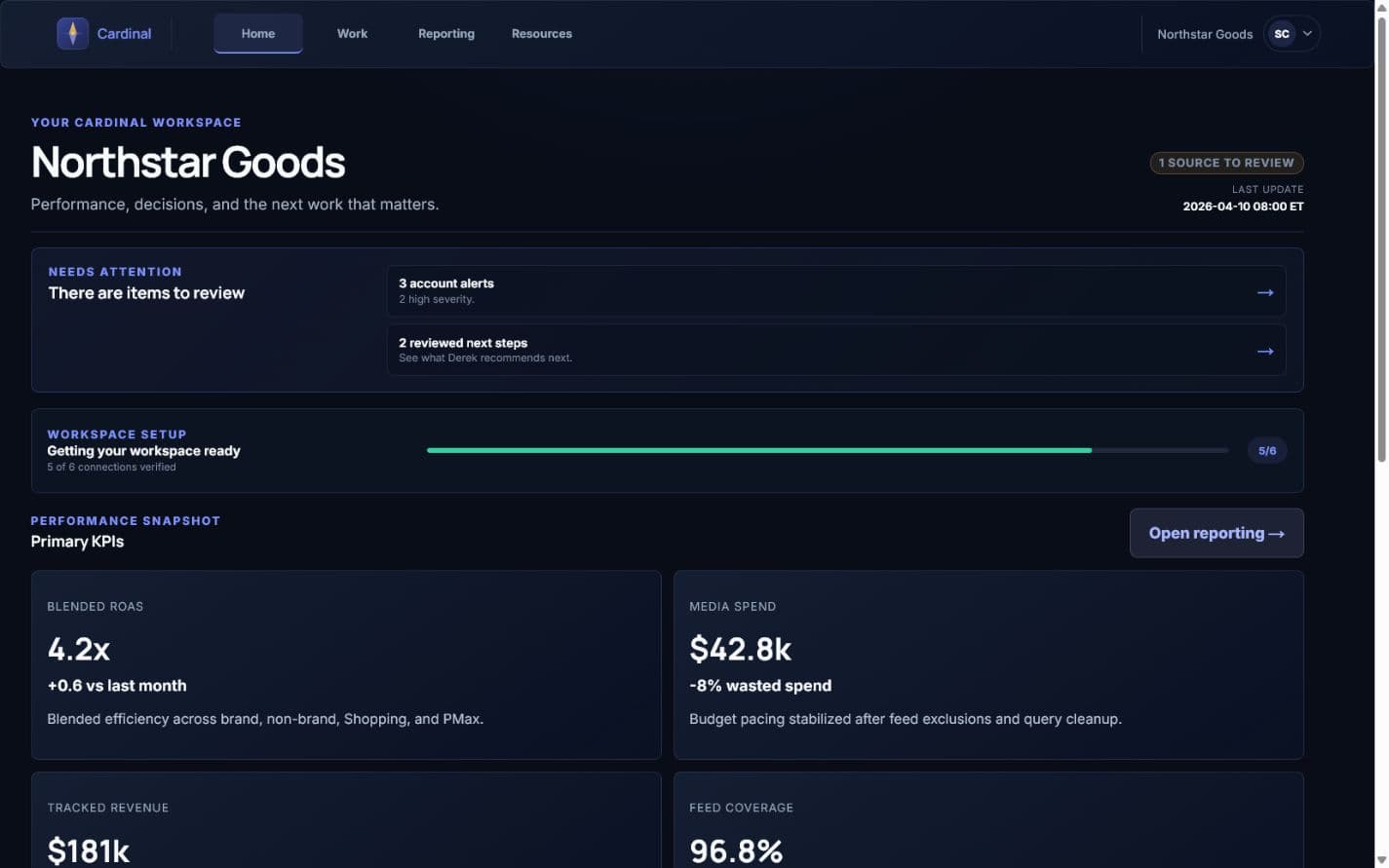
Northstar Goods | Google Ads workspace

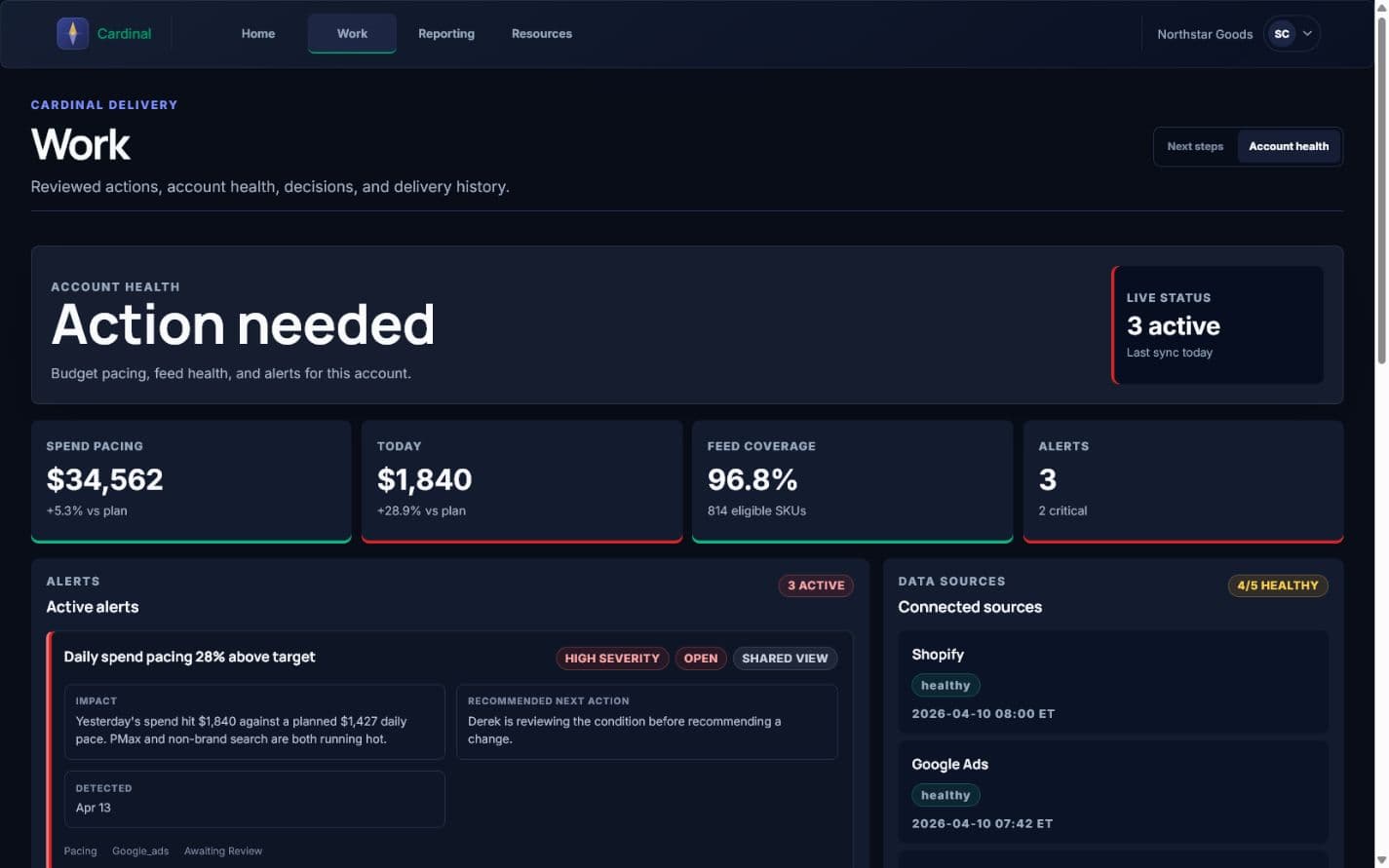
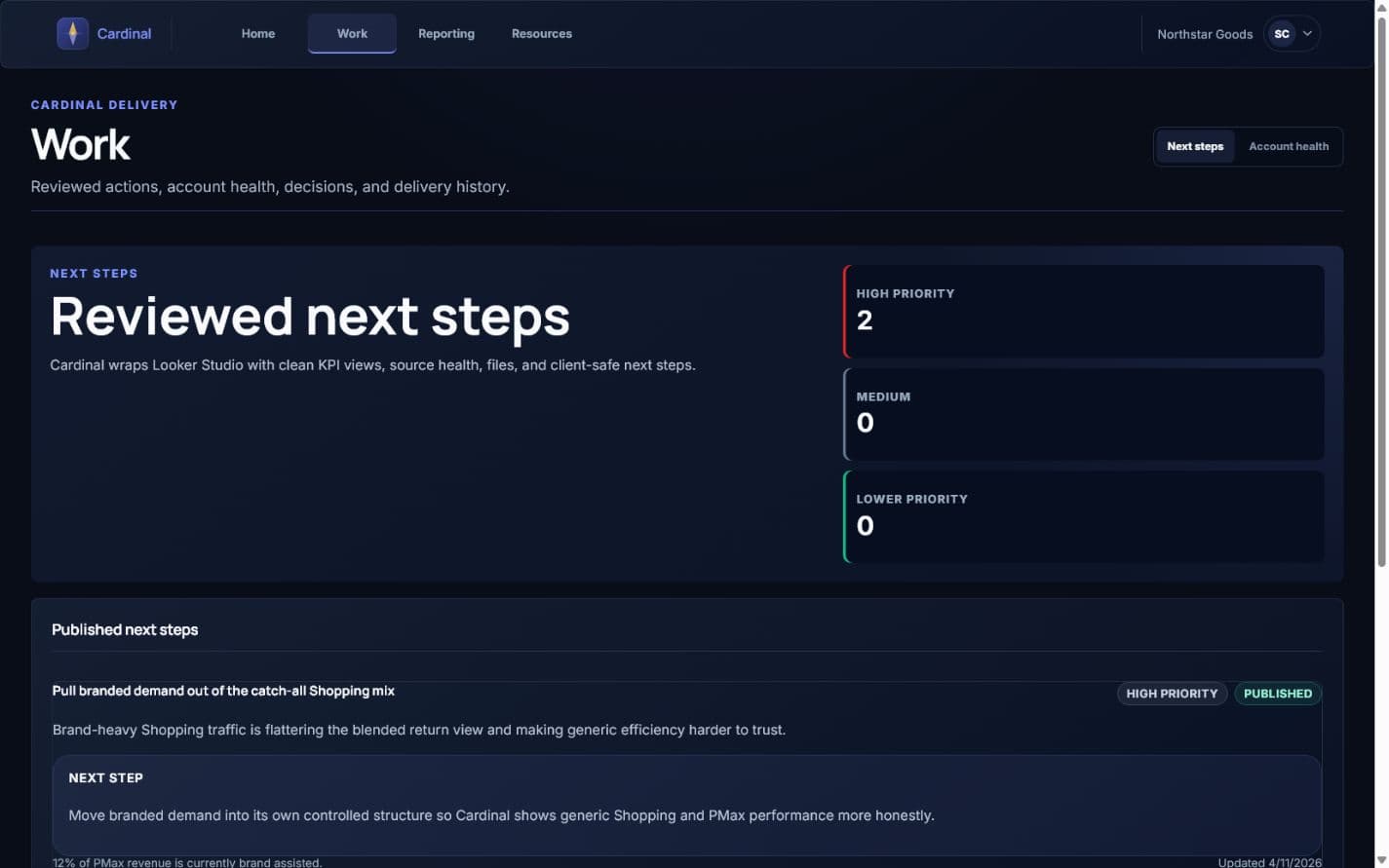
The preview shows the client-facing shape of Cardinal: KPI context, Guardian alerts, reporting links, recommendations, and files. It uses sample data only.

4.2xBlended ROAS
96.8%Feed Coverage
2Open Alerts
What is included

Three practical layers, one workspace.

Reporting

Cardinal

Your private reporting workspace. Cardinal frames the Looker Studio reports I set up for your account alongside KPI snapshots, integration health, and files. Everything you need to review performance is in one place.

  • Live Looker Studio reporting embedded in your workspace
  • KPI snapshots updated from the latest reporting period
  • Shared files, audits, and reference documents
  • Source health so you can see when data was last refreshed
Monitoring

Guardian

Guardian supports the consulting work by monitoring daily and monthly budget pacing, spend anomalies, and Merchant Center feed coverage. When something needs attention, it becomes visible before the next monthly report.

  • Daily spend vs. plan with deviation tracking
  • Monthly budget pacing at a glance
  • Feed coverage and Merchant Center health
  • Alerts flagged by severity with category context
Recommendations

Next steps

I draft optimization recommendations internally, review the supporting data, and publish the client-safe version to Cardinal when it is ready to act on.

  • Recommendations drafted from real account data
  • Reviewed and approved by me before publishing
  • Client-safe language without internal jargon
  • Each recommendation includes a supporting metric and clear next step
How it works

Setup is handled on my side. You get access to a workspace that is already configured.

Step 1

Onboarding sets up your workspace

Once our engagement starts, I configure Cardinal with your reporting setup, integration sources, and budget targets. You receive an invite link once the workspace is useful.

Step 2

Data stays visible between calls

KPI snapshots, spend data, report links, and source health stay in one place so the work does not disappear into email threads.

Step 3

Recommendations arrive when they are ready

I generate optimization drafts internally, review the copy and supporting data, then publish to Cardinal. You see finished recommendations with context, not raw AI output.

Access

Portal access is part of the engagement, not a public product.

Cardinal is available to active clients as part of the PPC management engagement. If you are exploring fit, start with a strategy call or a free audit request. If you already have a portal invite, sign in below.